
Reputic Reports: Generate Review Performance PDFs
Quick answer: Reputic reports turn your connected review data into downloadable PDFs for review performance and sentiment trends. Pick a report type, choose the date range, and schedule it. Reputic processes the file in the background, then emails you when the PDF is ready.
New to Reputic? Start your 14-day free trial and connect your first review source in about 2 minutes. No credit card required.
Reputic lets you generate professional PDF reports that summarize your review data over a chosen time period. Schedule a report, and we'll process the numbers in the background and email you the moment it's ready to download.
Prerequisites
- Active Reputic account with an active subscription or trial
- At least one connected review source with imported reviews
What are Reputic reports?
Reputic reports are PDF exports that package review performance and sentiment trends into a format you can share with owners, managers, or client teams. They help you explain what changed across your review sources without sending people into the full dashboard.
Use reports when you need to:
- Review rating and review volume changes over a specific period
- Show which platforms generated the most feedback
- Share recurring sentiment themes before a team meeting
- Keep a monthly record of reputation progress
The Reports Page
Navigate to Reports in the sidebar to access the reporting dashboard.
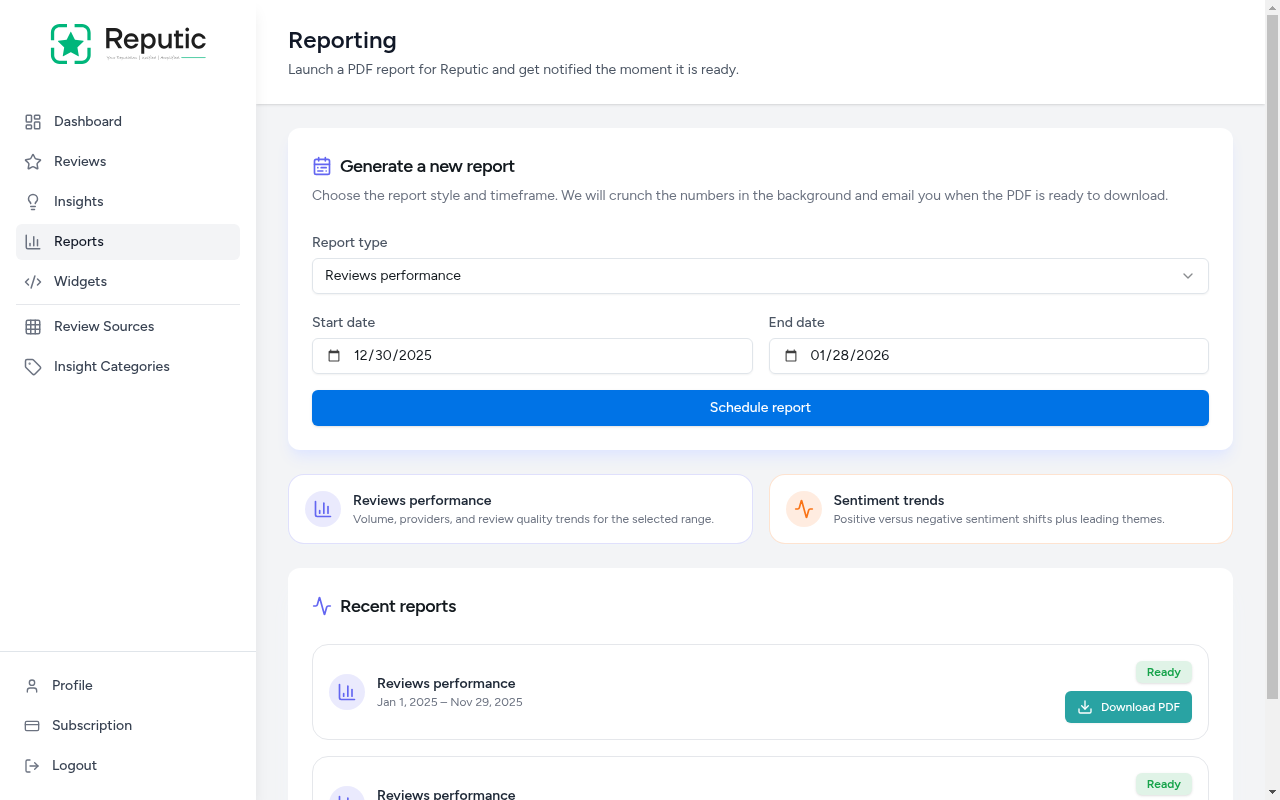
The page is organized into three sections:
- Report Generator: Choose a report type and date range
- Report Types: Descriptions of available report formats
- Recent Reports: Previously generated reports available for download
Available Report Types
Reputic offers two report types, each focused on a different angle of your review data:
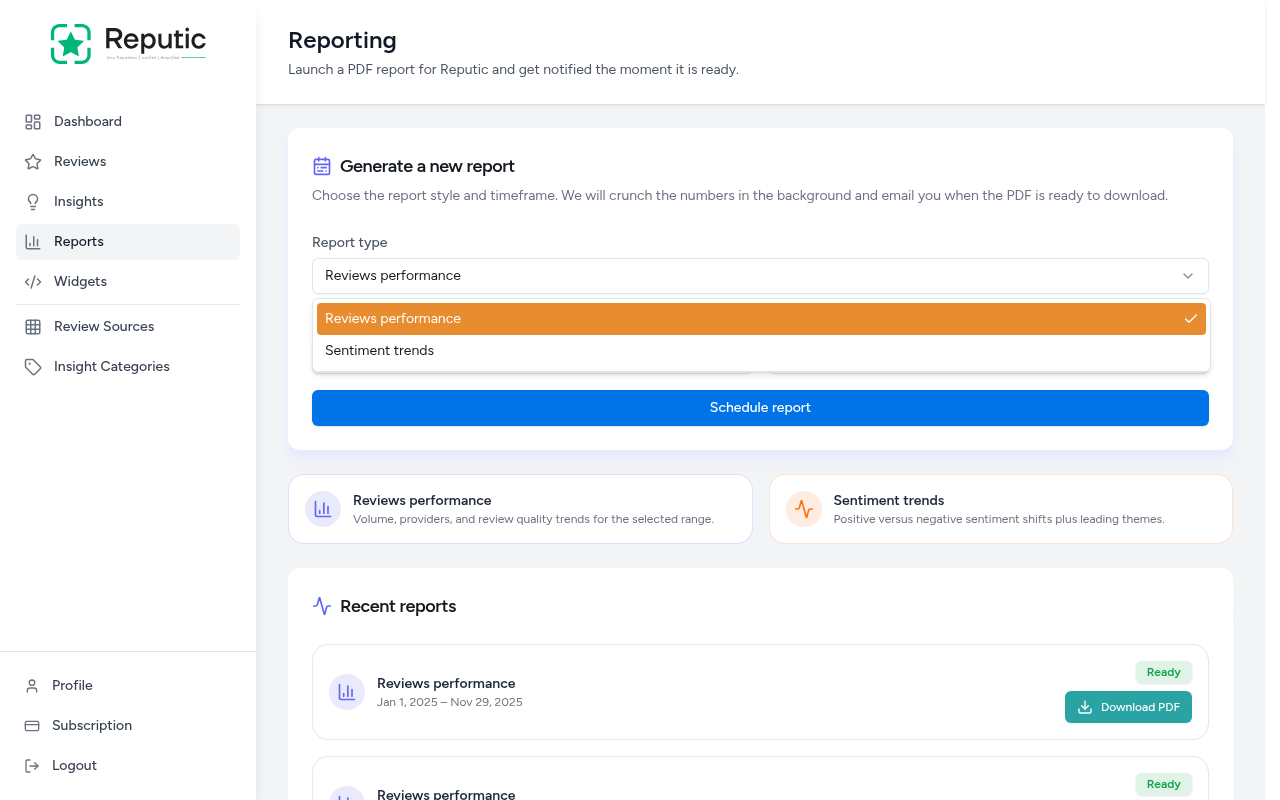
Reviews Performance
Covers volume, providers, and review quality trends for the selected date range. Use this report to understand how many reviews you received, which platforms generated the most feedback, and how your scores trended over time.
Sentiment Trends
Focuses on positive versus negative sentiment shifts plus leading themes. Use this report to track how customer sentiment is changing and which topics drive the most positive or negative feedback.
Generating a Report
- Navigate to Reports in the sidebar
- Select a Report type from the dropdown
- Set the Start date and End date to define the time period
- Click Schedule report
Reputic processes the report in the background. You'll receive an email notification as soon as the PDF is ready.
Downloading a Report
Once a report is ready, it appears in the Recent reports section at the bottom of the page.
Each report entry shows:
- Report type: The format you selected (Reviews performance or Sentiment trends)
- Date range: The period covered by the report
- Status: Shows "Ready" when the PDF is available
- Download PDF: Click to download the report to your device
Which report should you generate first?
Start with Reviews Performance if you want a monthly snapshot of review volume, average scores, and platform mix. It works well for owner updates and regular reputation check-ins.
Use Sentiment Trends before team meetings or service reviews. It shows the themes customers mention most, so you can talk about specific operational fixes instead of guessing from a few recent reviews.
Tips
Pro Tip: Generate a monthly Reviews Performance report to track your reputation over time. Comparing month-to-month trends helps you measure the impact of operational improvements.
Pro Tip: Use the Sentiment Trends report before team meetings. It highlights which themes customers mention most, giving you concrete talking points for staff training.
Pro Tip: Set a wide date range to get a big-picture view, or narrow it to a specific week to investigate a spike in negative reviews.
Related Reputic features
- Dashboard overview shows where review scores, recent reviews, and AI insights appear before you export a report.
- Review aggregation explains how Reputic brings reviews from multiple platforms into one dashboard.
- Sentiment analysis explains the AI themes and tone signals behind the Sentiment Trends report.
Ready to report on your own reviews? Start your 14-day free trial. No credit card required.
Need help? Contact Support
Related Articles
Managing Your Reviews
Learn how to view, filter, and respond to customer reviews from all your connected platforms in one place.
Creating Review Widgets
Learn how to create embeddable review widgets to showcase your best customer feedback on your own website.
How to Use Feedback Funnels
Capture private feedback and route happy customers to public reviews