
How to Use Feedback Funnels
Overview
Feedback Funnels help you collect customer feedback privately before asking for a public review. This gives you a clear way to spot unhappy customers early and guide satisfied customers to the platforms that matter most.
Why Use Feedback Funnels
- Protect your public rating by resolving issues before they become public
- Increase review volume by asking happy customers at the right moment
- Learn what customers like or dislike from structured private feedback
- Create a consistent post-purchase or post-service follow-up flow
Setting Up Feedback Funnels
- Open the Feedback Funnels section in your Reputic workspace.
- Create a new funnel and give it a clear internal name.
- Add your private feedback questions (for example: satisfaction score and short comment).
- Choose the review destinations for happy customers (Google, Trustpilot, or other supported platforms).
- Save and publish the funnel.

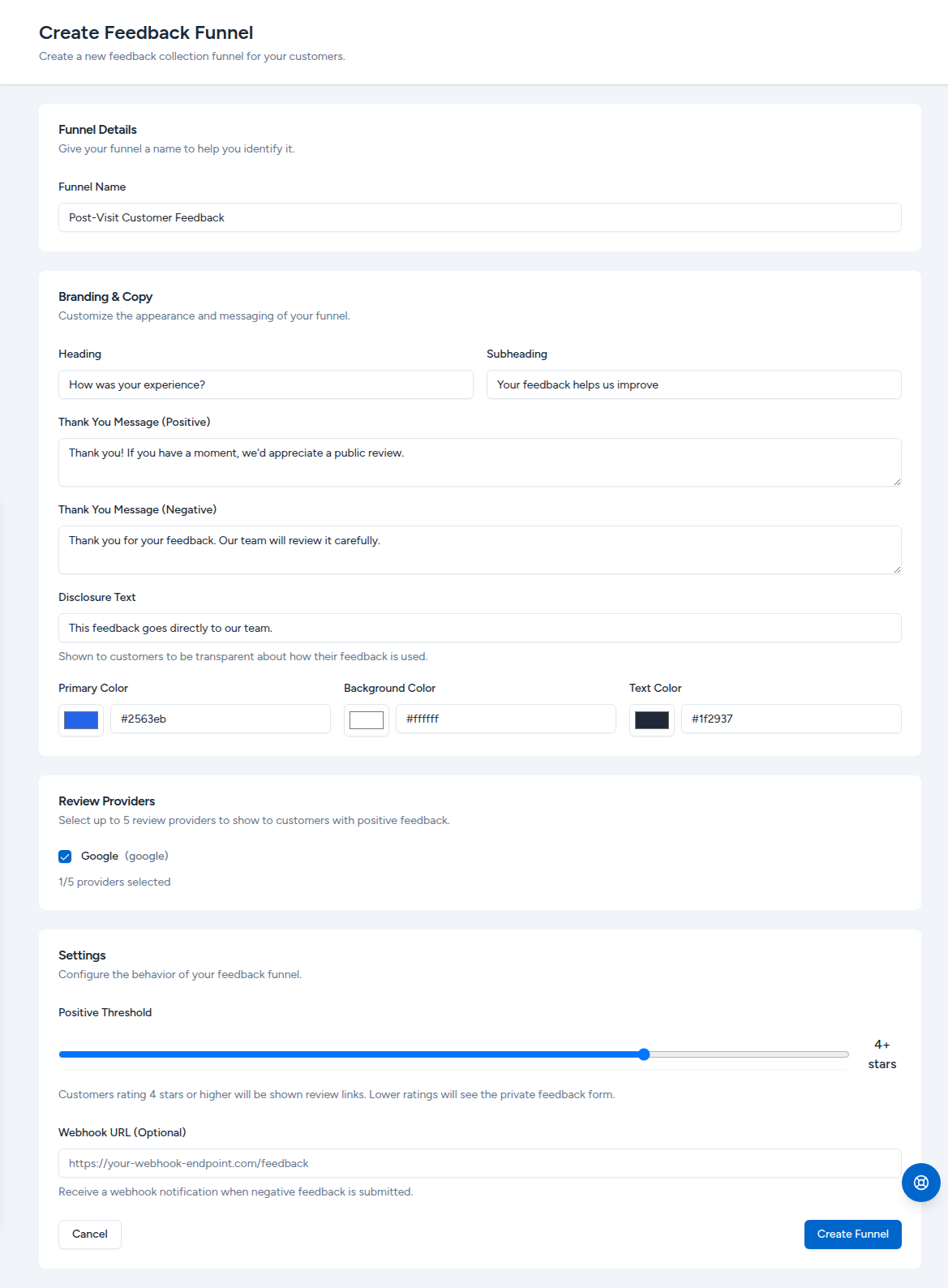
The create form lets you customize the funnel name, branding, copy, accepted review providers, and the rating threshold that decides which customers see public review links.
Recommended Funnel Flow
- Ask the customer for a quick satisfaction rating.
- If the rating is high, show review destination links.
- If the rating is low, show a private comment step and internal follow-up message.
- Assign follow-up ownership so your team can close the loop quickly.
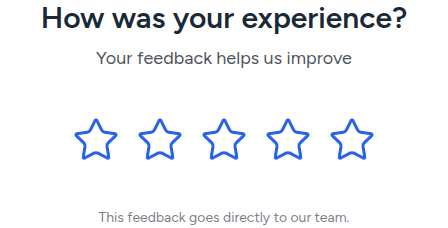
The customer-facing flow starts with a single rating question:
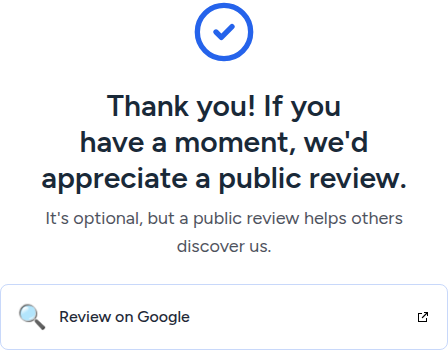
A high rating routes the customer to the public review destinations you selected:
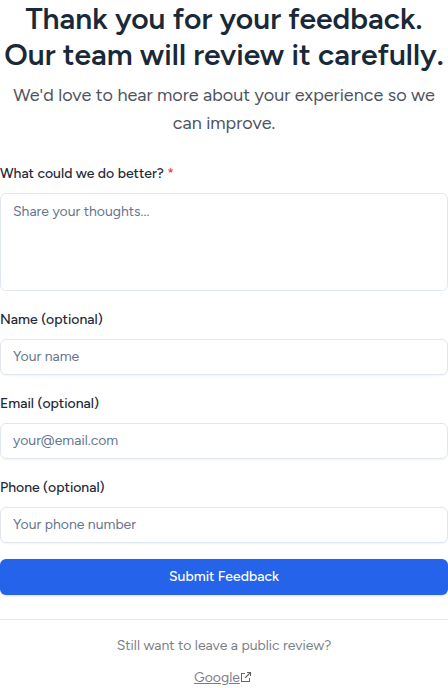
A low rating opens a private comment form so your team hears the issue first, while still leaving an opt-in path to a public review for transparency:
Messaging Best Practices
- Keep questions short and specific.
- Use neutral language and avoid pressure.
- Ask for public reviews only after positive private feedback.
- Thank every customer, regardless of score.
- Keep branding and tone consistent with your business voice.
Reviewing Submissions
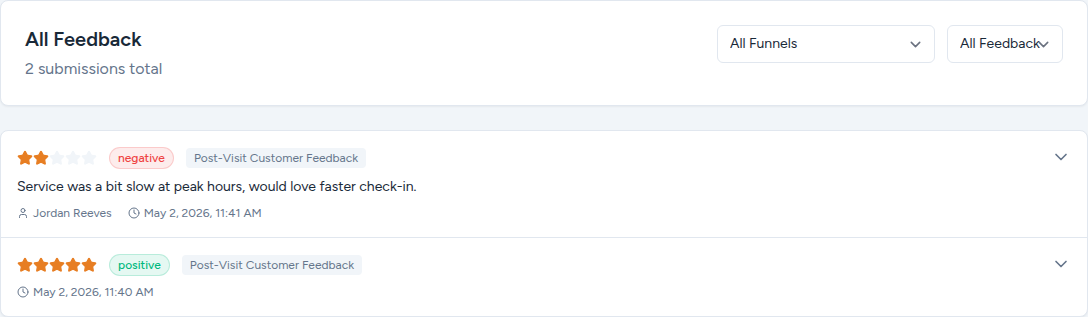
Open the Feedback inbox to read every private submission from your funnels. Filter by funnel or by sentiment to focus on what needs follow-up first.
Metrics to Monitor
Track these signals to improve your funnel performance over time:
- Funnel completion rate
- Positive vs negative private feedback ratio
- Public review conversion rate
- Review destination split (which platforms get the most clicks)
- Time to resolve low-score feedback
Common Issues and Fixes
Issue: Low completion rate Shorten the funnel and reduce the number of required fields.
Issue: Few public reviews from happy customers Simplify your call to action and limit destination choices.
Issue: Too many low-score responses without follow-up Set an internal owner and response SLA for negative feedback.
FAQ
Q: Can I use different funnels for different locations or services? A: Yes. Create separate funnels so each segment gets relevant questions and review destinations.
Q: Which review platforms should I include? A: Start with the platforms that matter most for your market, then expand as volume grows.
Q: Do Feedback Funnels replace normal review monitoring? A: No. Use funnels to improve input quality, then monitor public reviews in your dashboard as usual.
Related Articles
Managing Your Reviews
Learn how to view, filter, and respond to customer reviews from all your connected platforms in one place.
Generating Reports
Learn how to generate PDF reports that summarize your review performance and sentiment trends over any time period.
Creating Review Widgets
Learn how to create embeddable review widgets to showcase your best customer feedback on your own website.