
Managing Your Reviews
Reputic brings all your reviews from connected platforms into a single, organized view. See incoming reviews, analyze sentiment, and craft responses, all without switching between platforms.
Prerequisites
- Active Reputic account
- At least one connected review source
- Reviews synced to your account
Accessing Your Reviews
Navigate to Reviews in the sidebar to access your centralized review management dashboard.
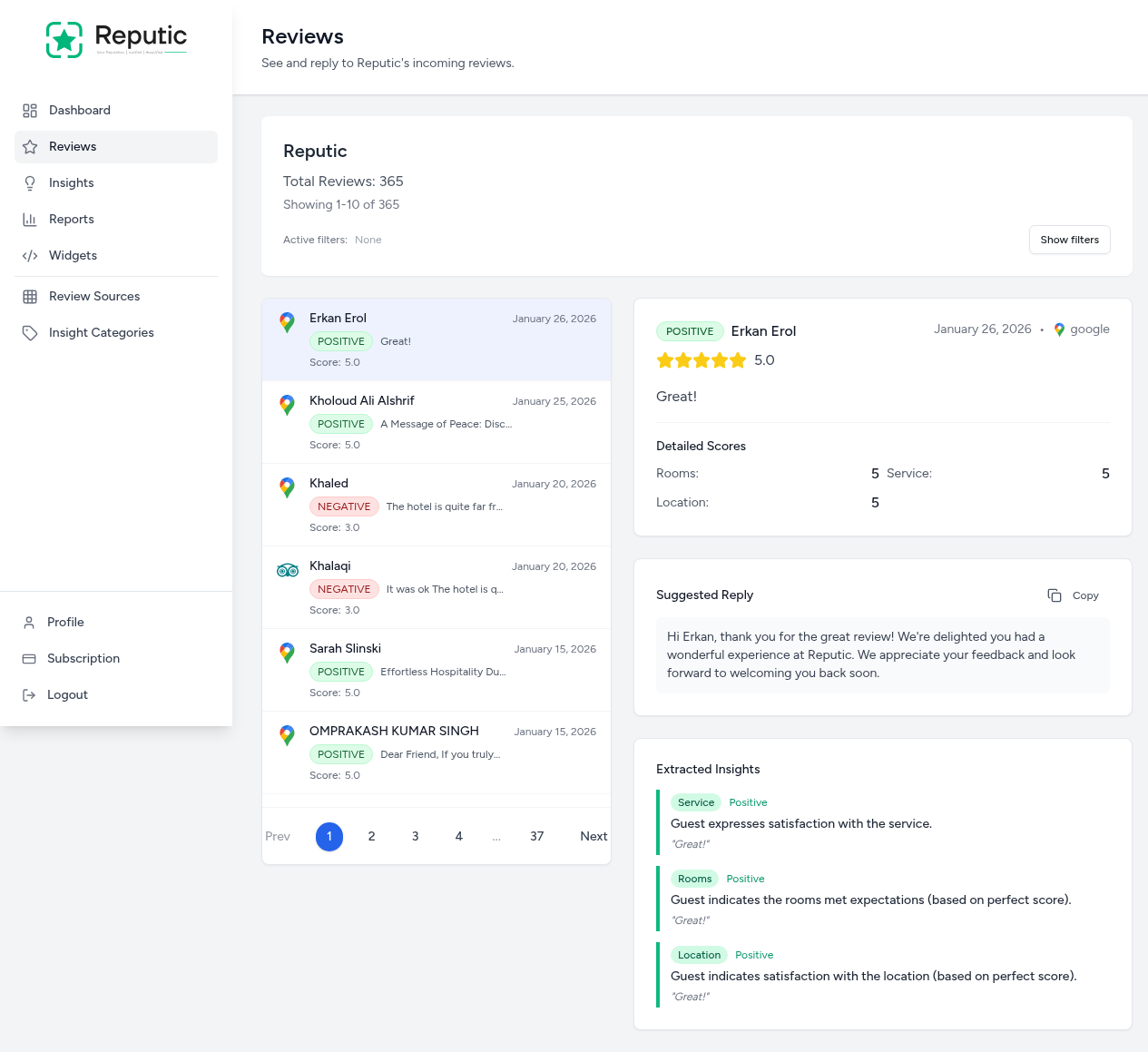
The page is organized into two main sections:
- Review List (left): A scrollable list of all reviews
- Review Detail Panel (right): Full details for the selected review
Understanding the Review List
Each review in the list shows key information at a glance:
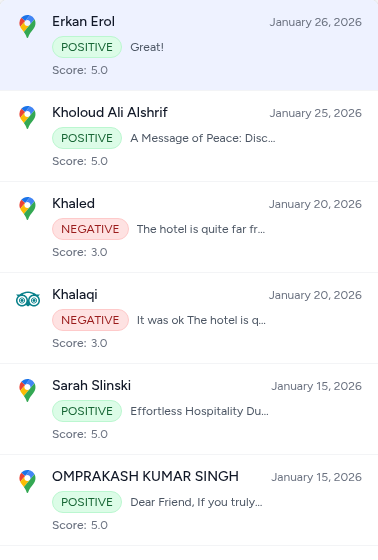
Review Card Information
Each review card displays:
- Platform Logo: Identifies the source (Google, TripAdvisor, Booking.com, etc.)
- Reviewer Name: The customer's name or "Anonymous" if not provided
- Date: When the review was posted
- Sentiment: POSITIVE or NEGATIVE, determined by AI analysis
- Review Preview: A snippet of the review text
- Score: The star rating (1.0-5.0)
Pagination
At the bottom of the review list, pagination controls let you navigate through all your reviews. The header shows the current page (e.g., "Showing 1-10 of 365").
Filtering Reviews
Use filters to quickly find specific reviews. Click Show filters to reveal the filter options:

Available Filters
- Score: Filter by star rating (1-5 Stars, or All Scores)
- Sentiment: Filter by AI-detected sentiment (Positive, Negative, or All)
- Source: Filter by review platform (Google, TripAdvisor, Booking.com, etc.)
Active filters are displayed below the filter bar. Click Hide filters to collapse the filter panel.
Review Detail Panel
Click any review in the list to view its full details in the right panel:
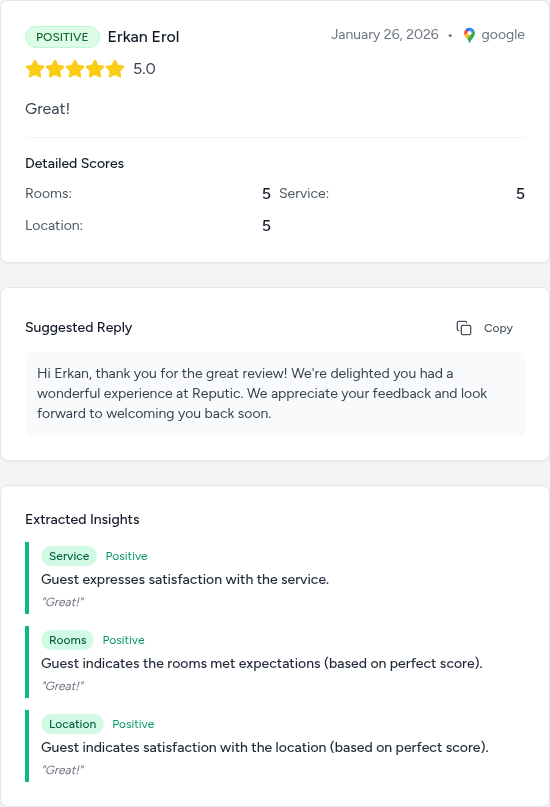
Review Header
The header shows:
- Sentiment Badge: POSITIVE or NEGATIVE
- Reviewer Name: The customer who left the review
- Date: When the review was posted
- Platform: The source platform with logo
Star Rating
A visual star display shows the overall rating, along with the numeric score (e.g., 5.0).
Full Review Text
The complete review text is displayed, giving you full context for the customer's feedback.
Detailed Scores
For platforms that support subcategory ratings (like Google Hotels), you'll see breakdown scores for categories like:
- Rooms
- Service
- Location
Suggested Reply
Reputic's AI generates a suggested reply tailored to the review. The suggestion:
- Addresses the reviewer by name
- Acknowledges their specific feedback
- Maintains a professional, friendly tone
Click Copy to copy the suggested reply to your clipboard, then paste it into the review platform to respond.
Extracted Insights
The AI automatically extracts key insights from each review:
- Category: The aspect being discussed (Service, Rooms, Location, etc.)
- Sentiment: Whether the insight is Positive or Negative
- Summary: A brief description of the insight
- Quote: The relevant excerpt from the review
These insights help you understand exactly what customers loved or what needs improvement.
Tips
Pro Tip: Use the Sentiment filter to quickly find negative reviews that need immediate attention. Responding promptly to complaints can turn unhappy customers into loyal advocates.
Pro Tip: Review the AI-suggested replies carefully before posting. While they're a great starting point, adding a personal touch makes your response feel more genuine.
Pro Tip: Check the Extracted Insights across multiple reviews to spot patterns. If the same category appears frequently in negative reviews, it may indicate a systemic issue worth addressing.
Need help? Contact Support