
Generating Reports
Reputic lets you generate professional PDF reports that summarize your review data over a chosen time period. Schedule a report, and we'll crunch the numbers in the background and email you the moment it's ready to download.
Prerequisites
- Active Reputic account with an active subscription or trial
- At least one connected review source with imported reviews
The Reports Page
Navigate to Reports in the sidebar to access the reporting dashboard.
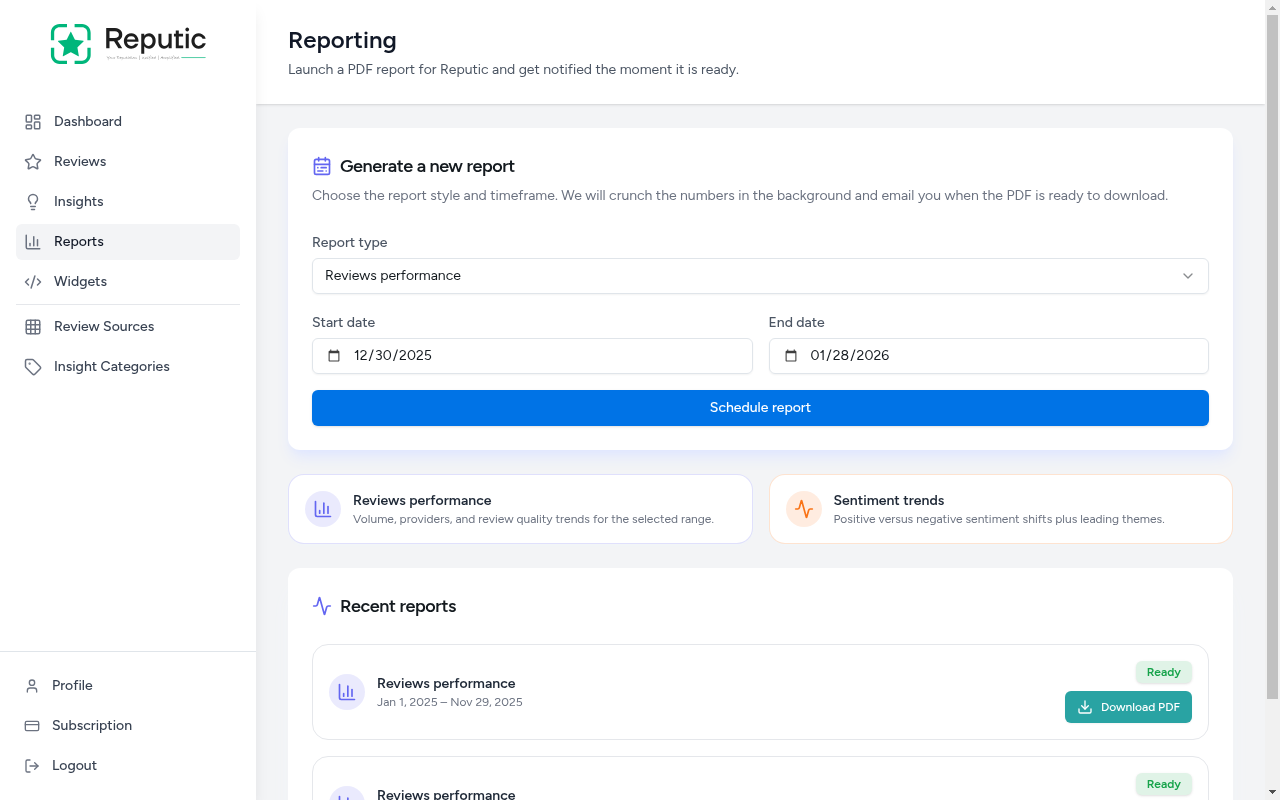
The page is organized into three sections:
- Report Generator: Choose a report type and date range
- Report Types: Descriptions of available report formats
- Recent Reports: Previously generated reports available for download
Available Report Types
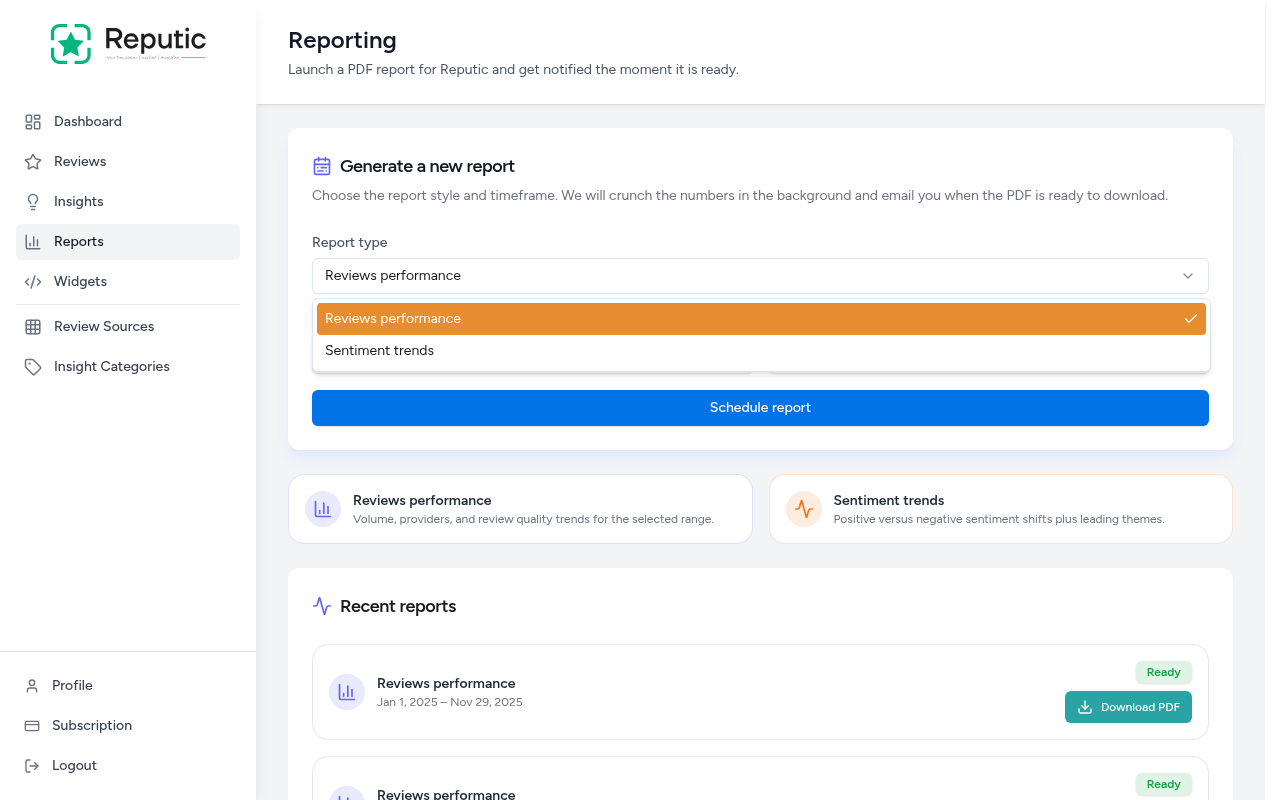
Reputic offers two report types, each focused on a different angle of your review data:
Reviews Performance
Covers volume, providers, and review quality trends for the selected date range. Use this report to understand how many reviews you received, which platforms generated the most feedback, and how your scores trended over time.
Sentiment Trends
Focuses on positive versus negative sentiment shifts plus leading themes. Use this report to track how customer sentiment is changing and which topics drive the most positive or negative feedback.
Generating a Report
- Navigate to Reports in the sidebar
- Select a Report type from the dropdown
- Set the Start date and End date to define the time period
- Click Schedule report
Reputic processes the report in the background. You'll receive an email notification as soon as the PDF is ready.
Downloading a Report
Once a report is ready, it appears in the Recent reports section at the bottom of the page.
Each report entry shows:
- Report type: The format you selected (Reviews performance or Sentiment trends)
- Date range: The period covered by the report
- Status: Shows "Ready" when the PDF is available
- Download PDF: Click to download the report to your device
Tips
Pro Tip: Generate a monthly Reviews Performance report to track your reputation over time. Comparing month-to-month trends helps you measure the impact of operational improvements.
Pro Tip: Use the Sentiment Trends report before team meetings. It highlights which themes customers mention most, giving you concrete talking points for staff training.
Pro Tip: Set a wide date range to get a big-picture view, or narrow it to a specific week to investigate a spike in negative reviews.
Need help? Contact Support