
Dashboard Overview
Your Reputic dashboard gives you a centralized view of your online reputation at a glance. Monitor key metrics, track sentiment trends, and identify areas for improvement, all in one place.
Prerequisites
- Active Reputic account
- At least one connected review source
- Reviews synced to your account
Navigating Your Dashboard
After logging in, you'll land on your dashboard. Here's what you'll see:
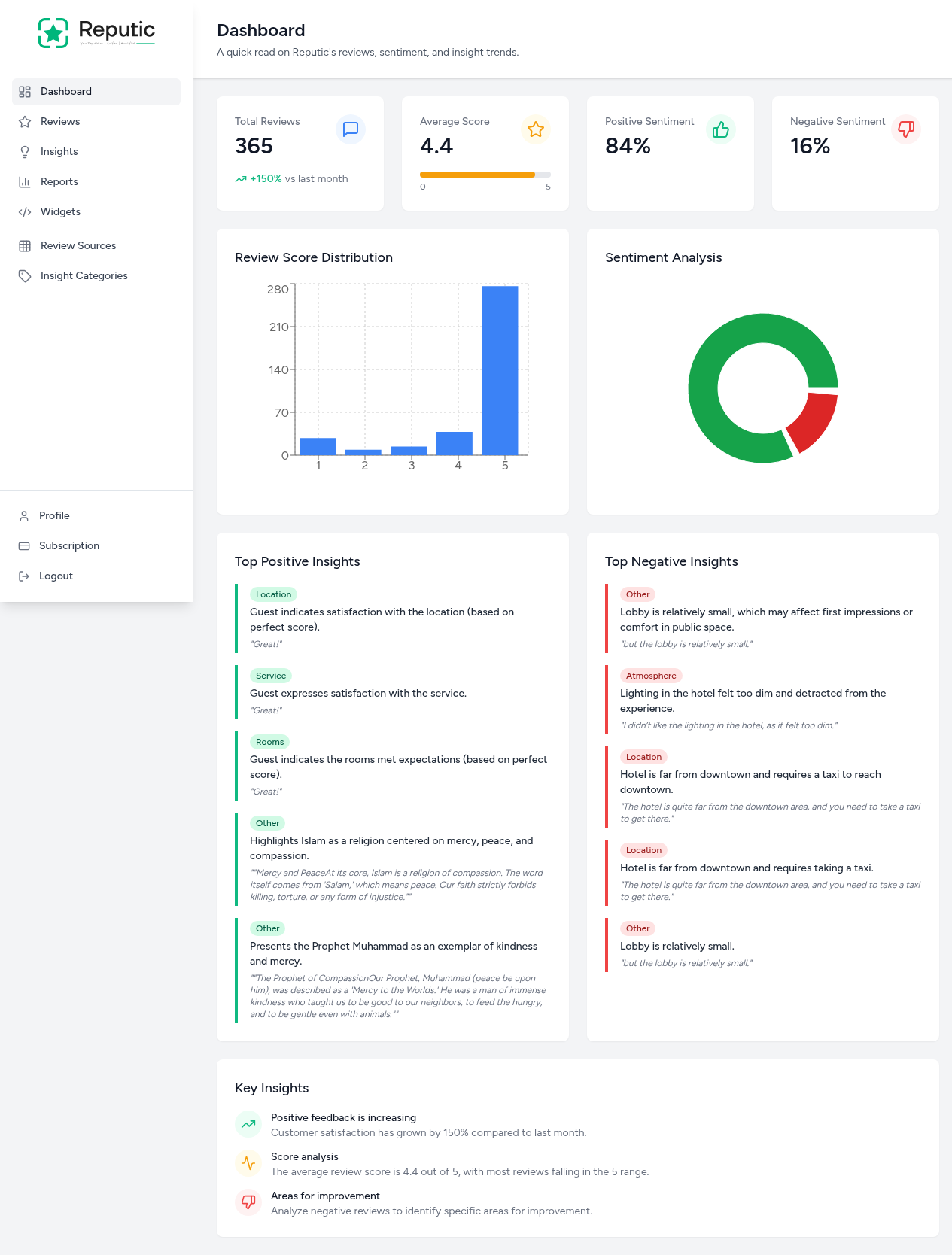
The dashboard is organized into several sections, each designed to help you understand your reputation quickly.
Key Metrics at a Glance
At the top of your dashboard, you'll find four key performance indicators:

Total Reviews
Shows the total number of reviews across all connected platforms. The percentage indicator shows growth compared to the previous month.
Average Score
Displays your overall rating on a scale of 0-5. A visual indicator shows where you fall on the scale.
Positive Sentiment
The percentage of reviews with positive sentiment, determined by Reputic's AI analysis.
Negative Sentiment
The percentage of reviews with negative sentiment. Use this to identify potential issues that need attention.
Review Score Distribution
The bar chart visualizes how your reviews are distributed across star ratings (1-5). This helps you understand the breakdown of customer satisfaction levels.
Sentiment Analysis
The pie chart provides a visual split between positive and negative sentiment across all your reviews. This gives you a quick understanding of your overall reputation health.
Top Insights
The dashboard highlights your most significant insights:
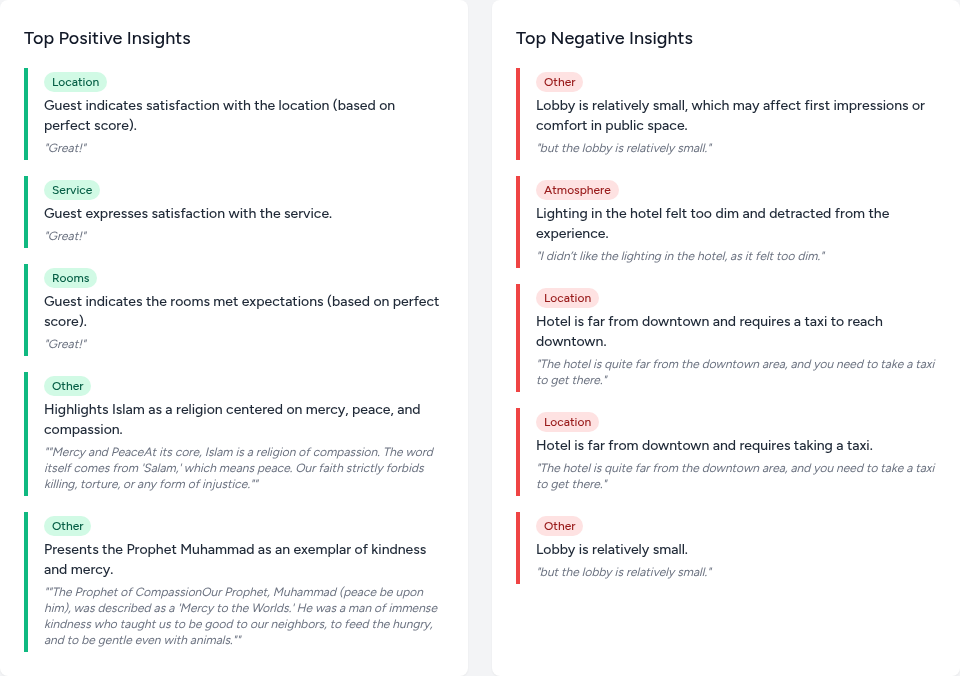
Top Positive Insights
These show what customers love about your business. Each insight includes:
- Category: The aspect being praised (e.g., Location, Service, Rooms)
- Description: A summary of the positive feedback
- Quote: An actual excerpt from customer reviews
Top Negative Insights
These highlight areas that need improvement. Use these to identify patterns in customer complaints and prioritize fixes.
Key Insights Summary
At the bottom, you'll find AI-generated key insights that summarize:
- Positive feedback trends: How customer satisfaction is changing
- Score analysis: Context about your average rating
- Areas for improvement: Actionable recommendations based on negative reviews
Tips
Pro Tip: Check your dashboard weekly to spot trends early. A sudden increase in negative sentiment may indicate an issue that needs immediate attention.
Pro Tip: Use the insights to prioritize improvements. Focus on categories that appear frequently in negative reviews for the biggest impact on your overall rating.
Need help? Contact Support
Related Articles
Connecting Review Sources
Learn how to connect your review platforms to Reputic and start aggregating customer feedback from Google, TripAdvisor, Booking.com, and more.
Navigating Your Reviews
Learn how to browse, filter, and read customer reviews from all your connected platforms in one place.
Managing Insight Categories
Learn how to organize and customize insight categories to better understand what matters most to your customers.